Version 0.3.6 · 19 Nov 2026
Gizmo Jam
A robot party game for up to six players.
Play solo against five bots or play with friends on your network. Friends can join your party from a web browser.
- Players
- 1–6
- Minigames
- 8
- Price
- Free
- Plays on
- Web, Windows, macOS, Linux, Android
The minigames
Pick a game
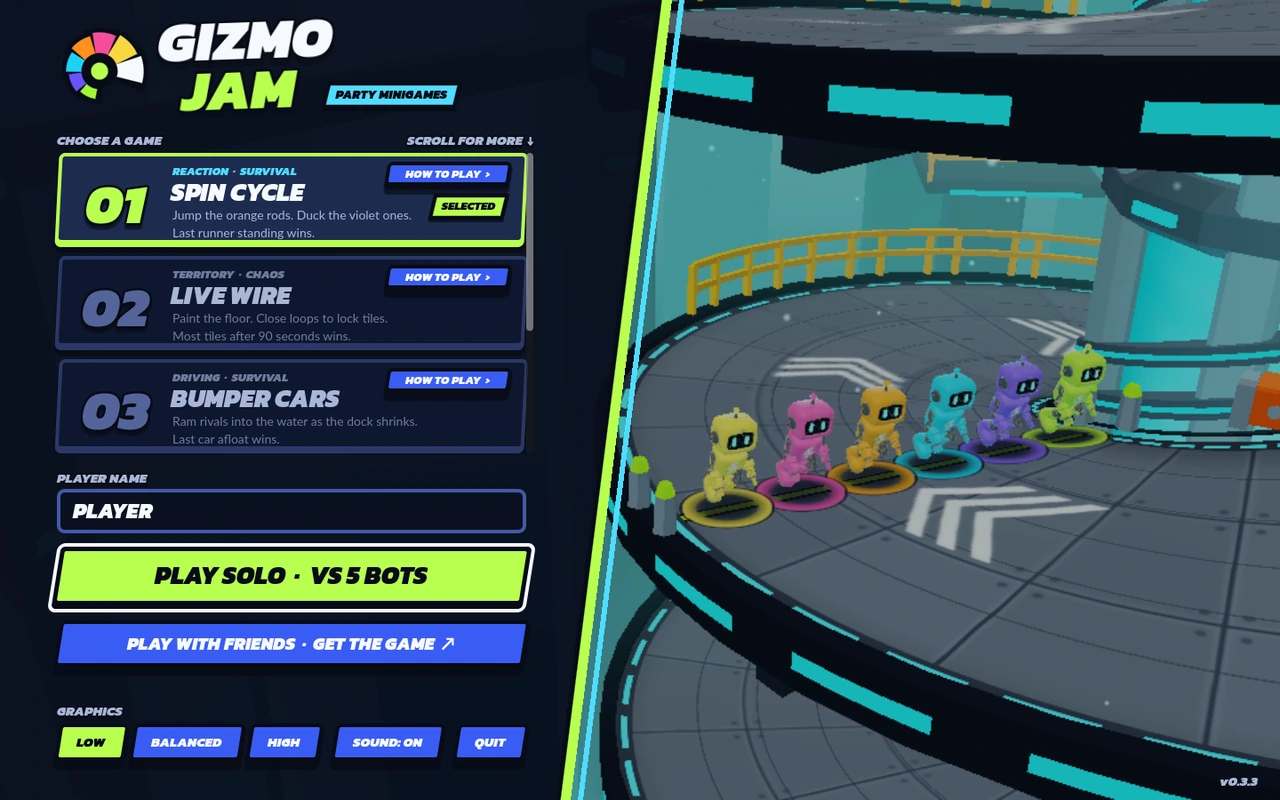
Every minigame seats up to six robots, and bots fill the empty seats. Same couch, same network, or solo.
-
 (view full-size screenshot)
Spin Cycle
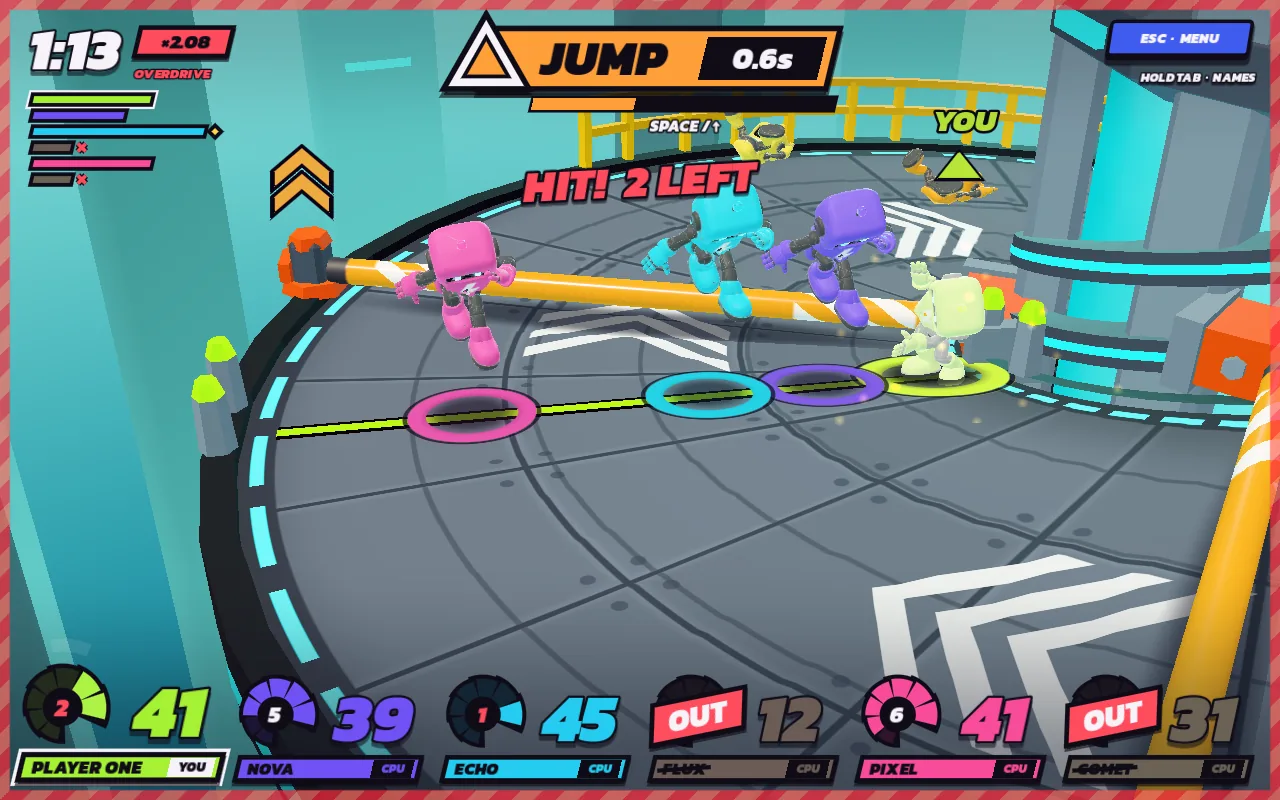
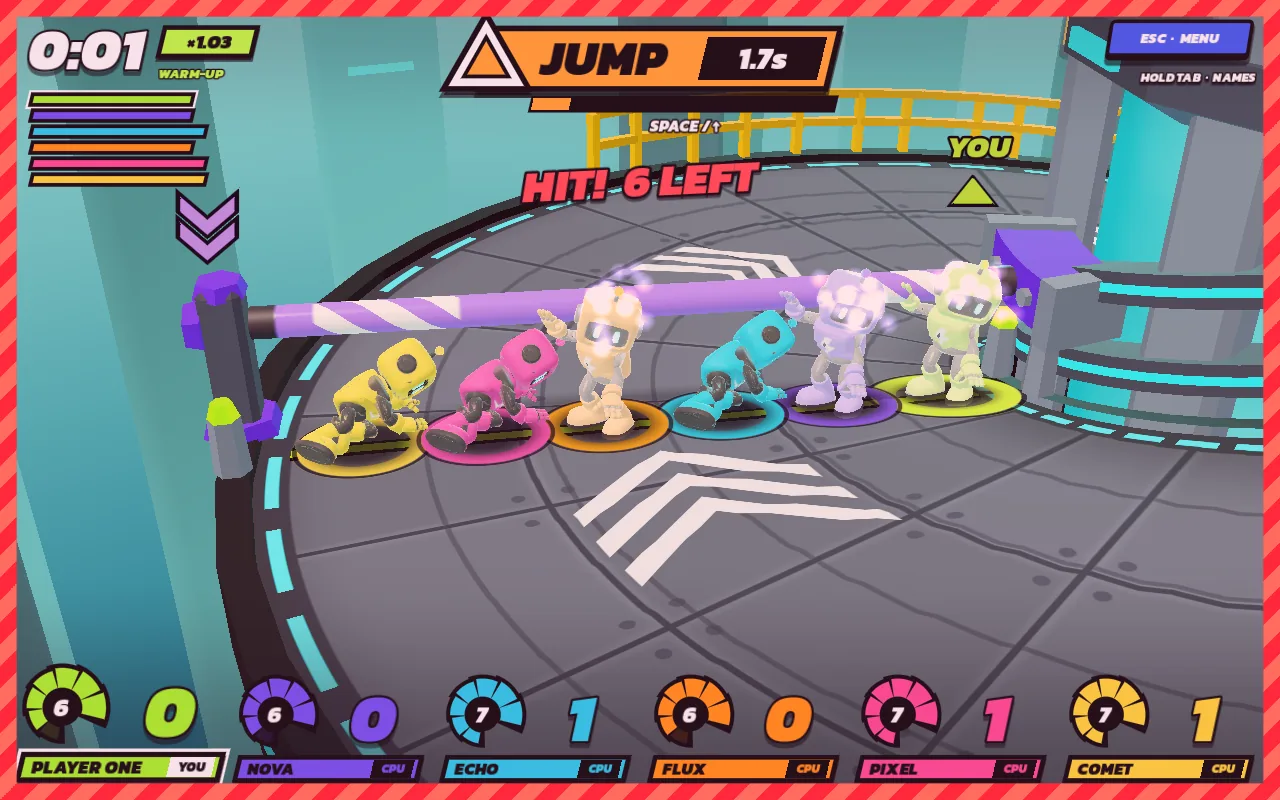
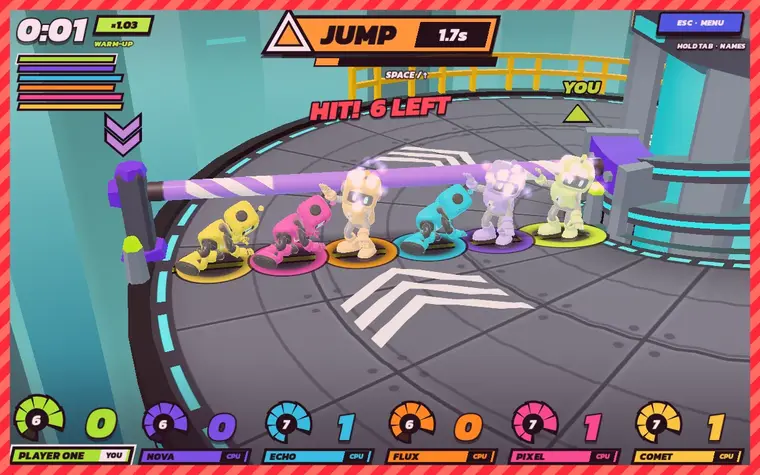
Six robots stand on a spiral ramp around a reactor. Jump the orange rods and duck under the violet ones as the ramp speeds up. Seven hits and you’re out. Last robot standing wins.
- Keys
- Space or Up to jump over orange rods. Hold S or Down to duck under violet rods.
- Touch
- Tap the right side to jump and hold the left side to duck.
On desktop, install it from Game Library.
-
 (view full-size screenshot)
Live Wire
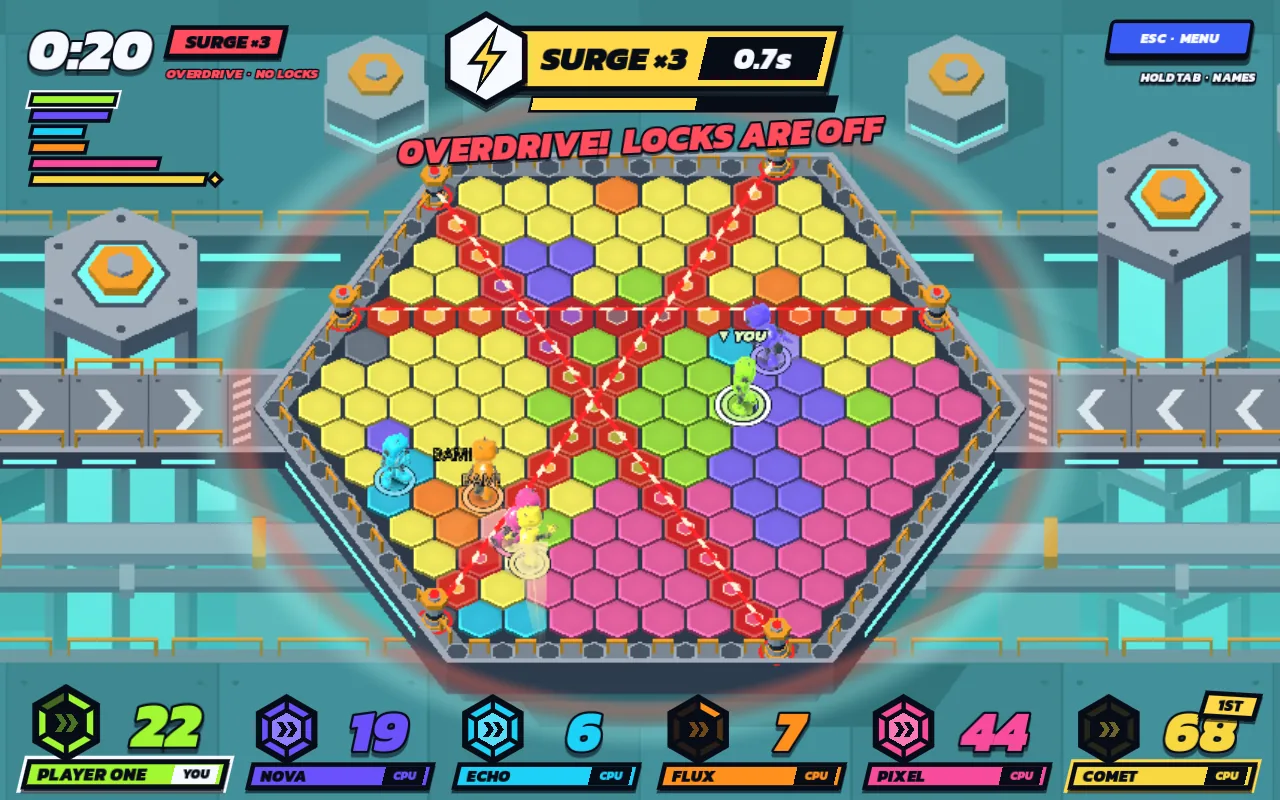
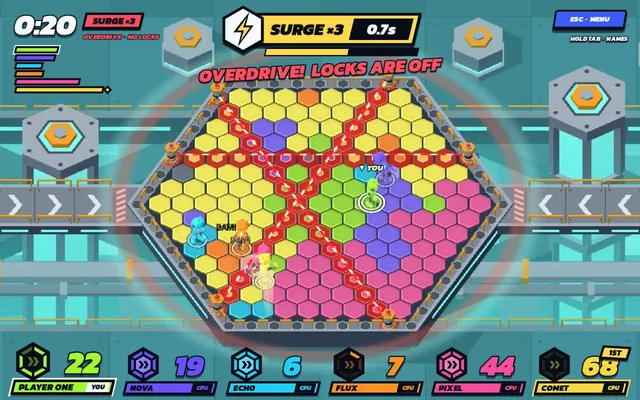
Race to paint a hex floor in your color. Close a loop to lock in your tiles, dodge the reactor’s surges, and dash into rivals to knock them off course. Most tiles after 90 seconds wins.
- Keys
- WASD or the arrow keys to run. Press Space to dash and shove.
- Touch
- Drag your left thumb to move and tap the right side to dash.
On desktop, install it from Game Library.
-
 (view full-size screenshot)
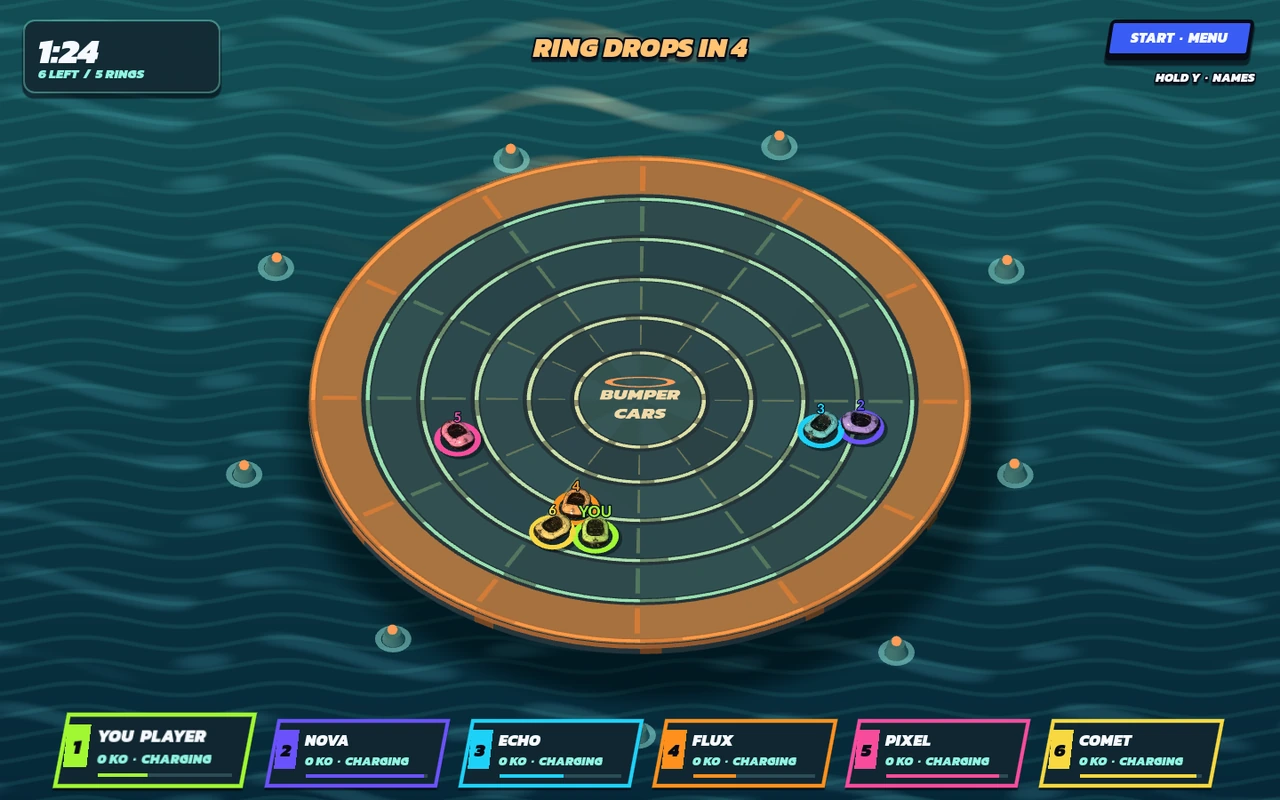
Bumper Cars
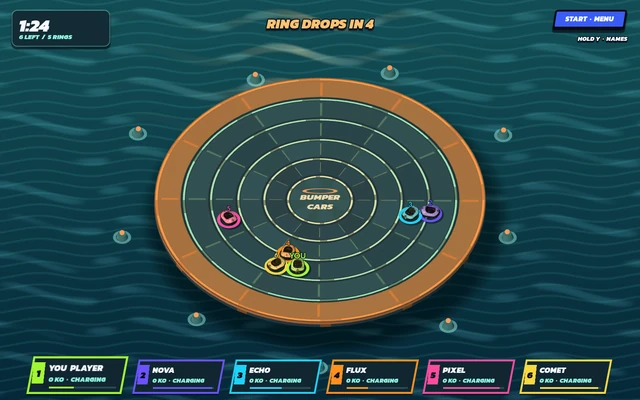
Boost into rivals on a floating dock with no railings. Five rings sink one at a time, shrinking the arena. Stay out of the water and be the last car afloat.
- Keys
- WASD or the arrow keys to steer. Press Space to boost and move inward when the outer ring flashes.
- Touch
- Drag your left thumb to steer and tap the right side to boost.
On desktop, install it from Game Library.
-
 (view full-size screenshot)
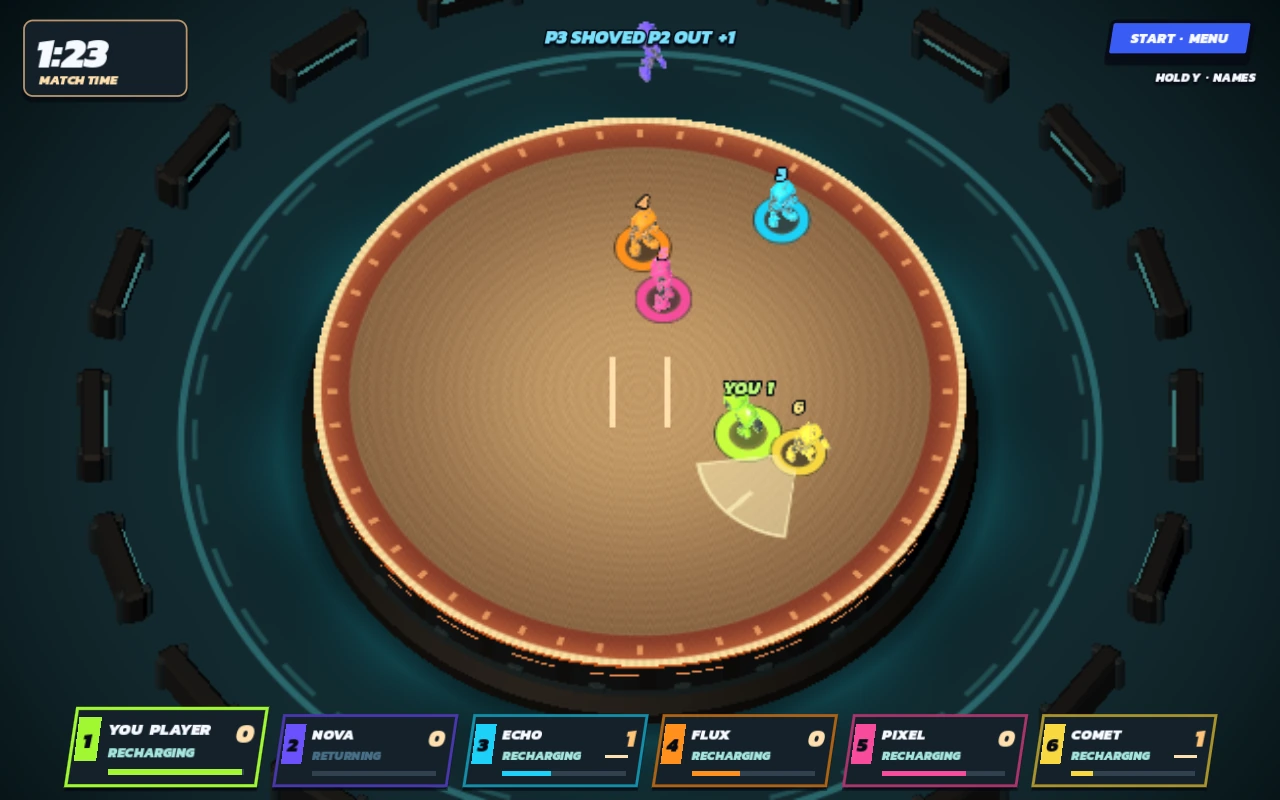
Sumo
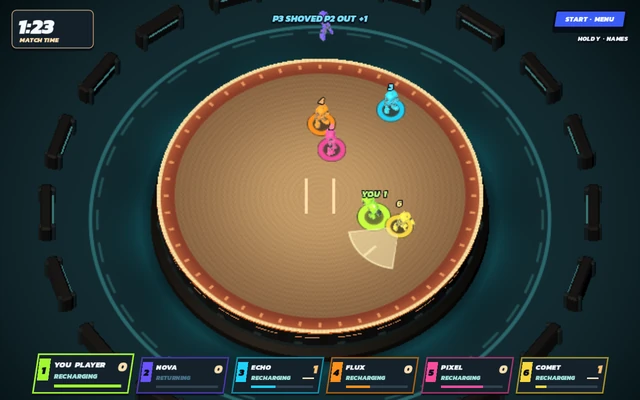
Shove rivals out of a fixed ring to score. If you fall, you respawn quickly and can get back in the fight. The highest score after 90 seconds wins.
- Keys
- WASD or the arrow keys to move. Let go to brace. Press Space to shove.
- Touch
- Drag your left thumb to move, let go to brace, and tap the right side to shove.
On desktop, install it from Game Library.
-
 (view full-size screenshot)
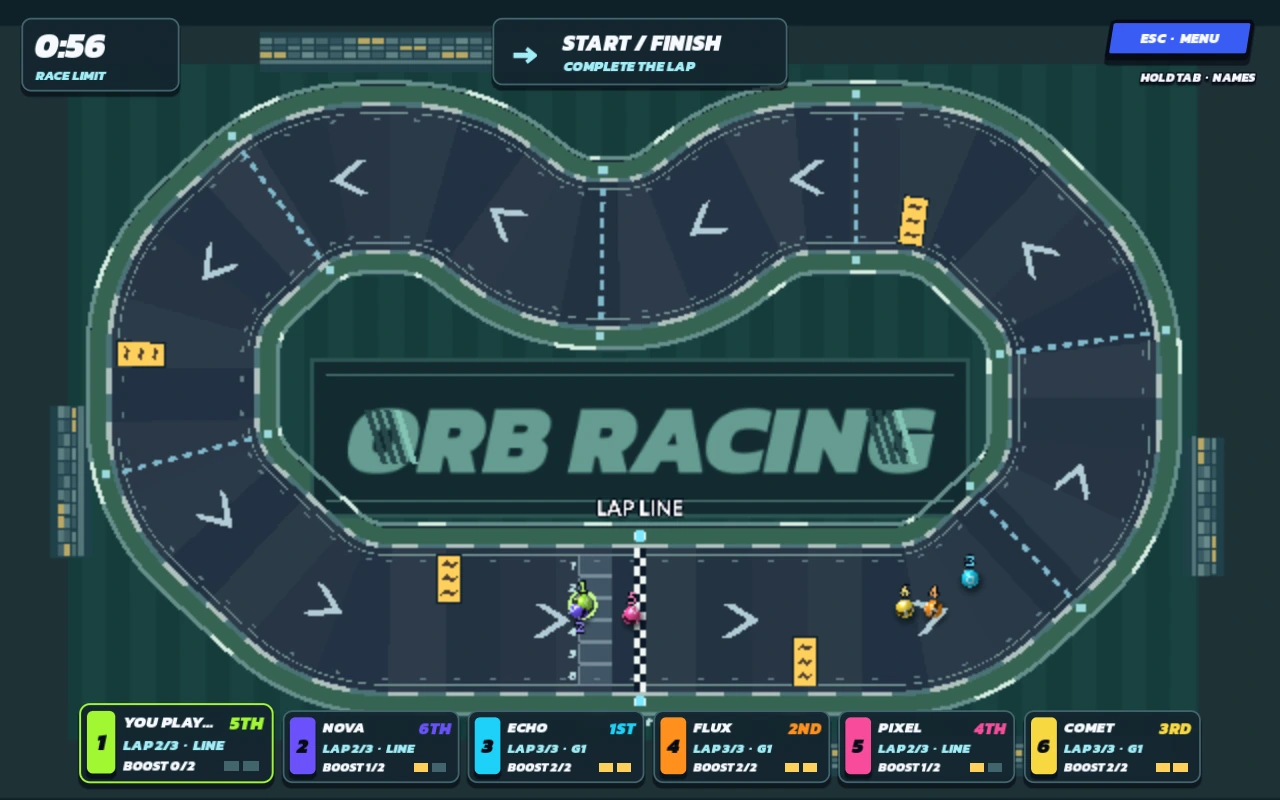
Orb Racing
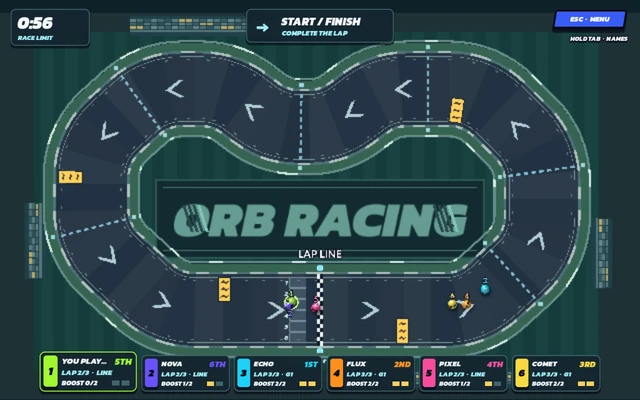
Race for three laps and drive through the checkpoints in order. Cross the recharge strips to refill your boost.
- Keys
- WASD or the arrow keys to steer. Press Space to boost.
- Touch
- Drag your left thumb to steer and tap the right side to boost.
On desktop, install it from Game Library.
-
 (view full-size screenshot)
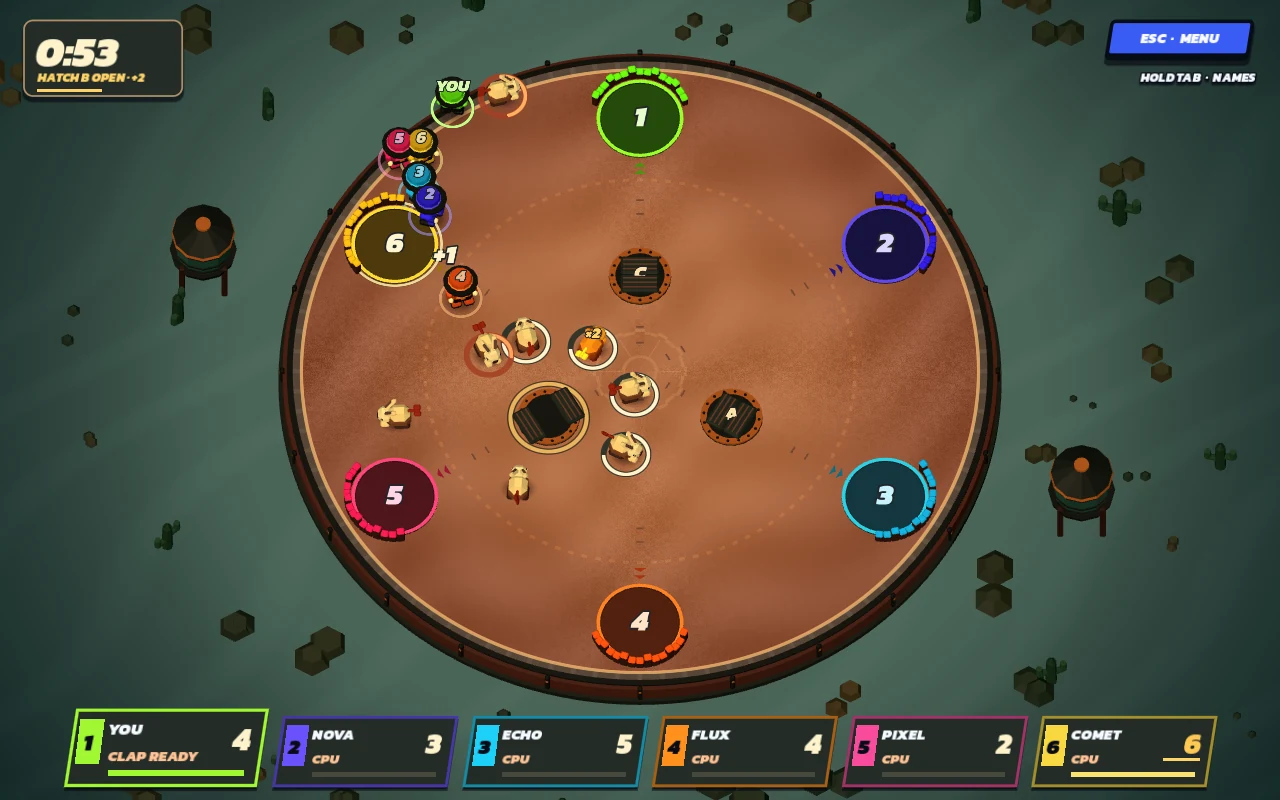
Stampede Sheriff
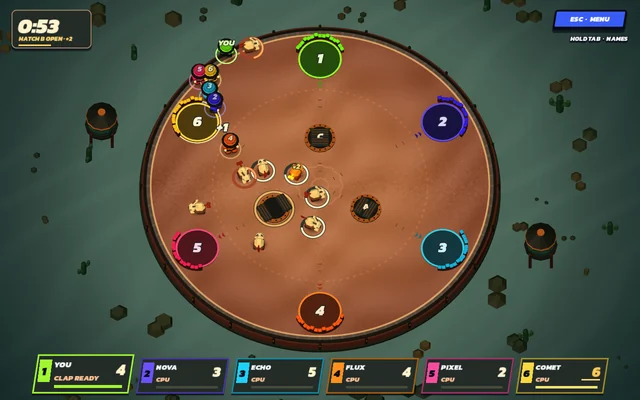
Walk behind wind-up critters to guide them into your pen. Clap to scatter a herd or steal it from a rival. Watch the hatches for double-value critters. Most points after 90 seconds wins.
- Keys
- WASD or the arrow keys to move. Press Space to clap in the last direction you moved.
- Touch
- Drag your left thumb to move and tap the right side to clap.
On desktop, install it from Game Library.
-
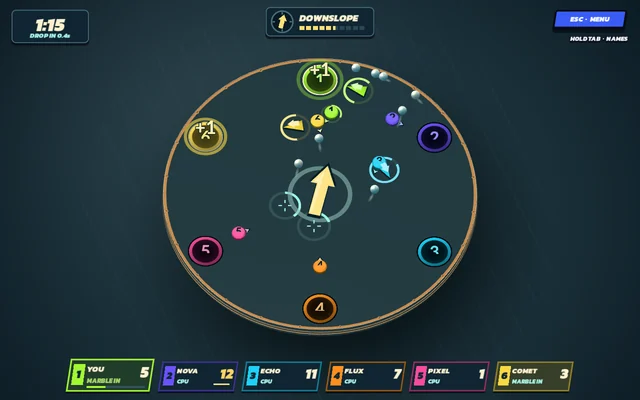 (view full-size screenshot)
Plate Panic
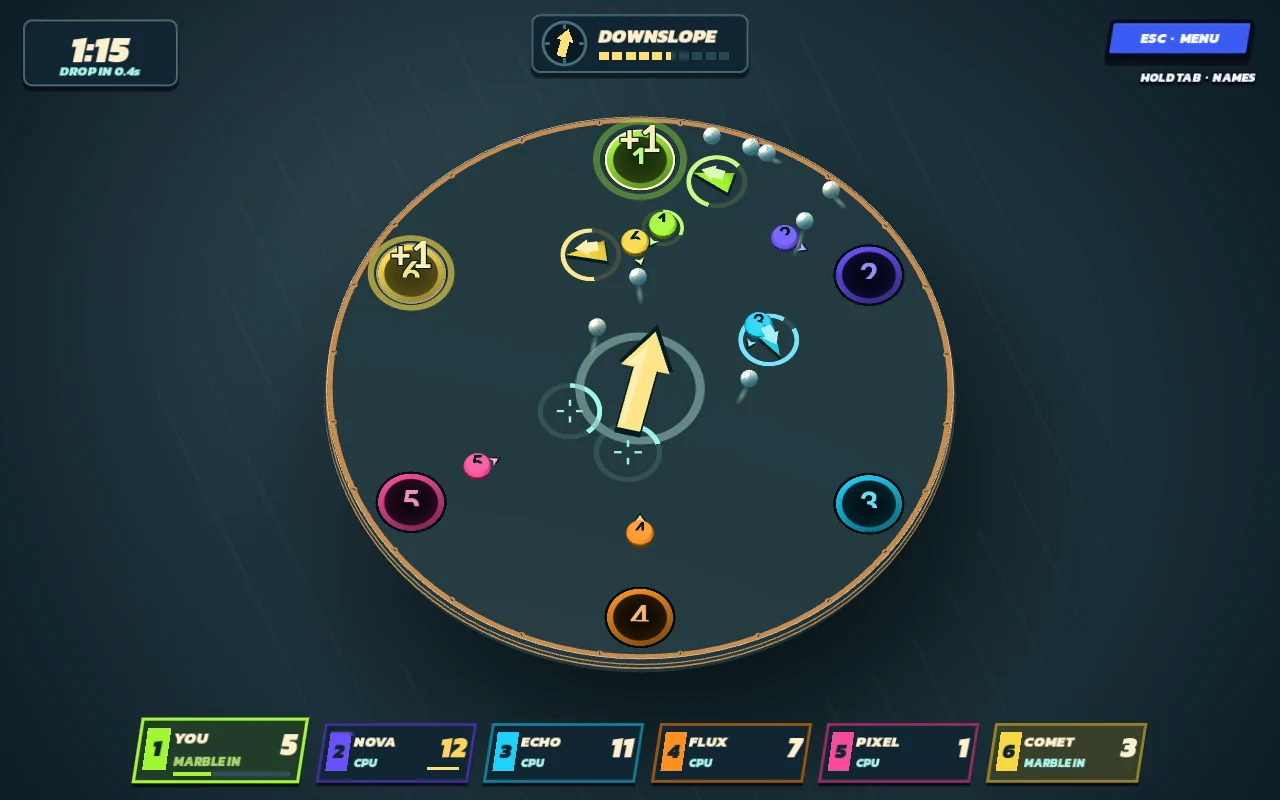
Every robot’s weight tilts the same tabletop. Roll marbles into your pocket or drop a wedge to redirect a roll. The player who pockets the most marbles in 90 seconds wins.
- Keys
- WASD or the arrow keys to move and tilt the table. Press Space to place a wedge in the last direction you moved.
- Touch
- Drag your left thumb to move and tap the right side to place a wedge.
On desktop, install it from Game Library.
-
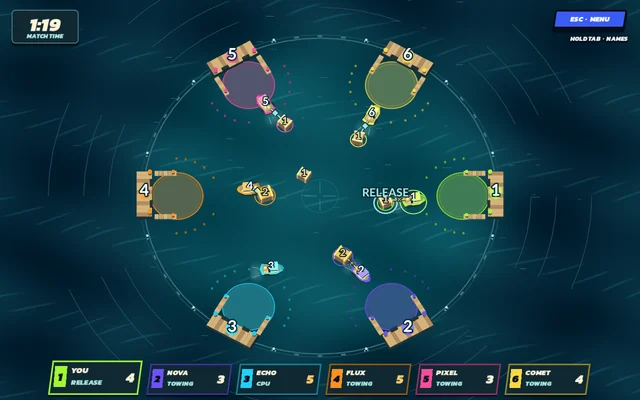 (view full-size screenshot)
Salvage Line
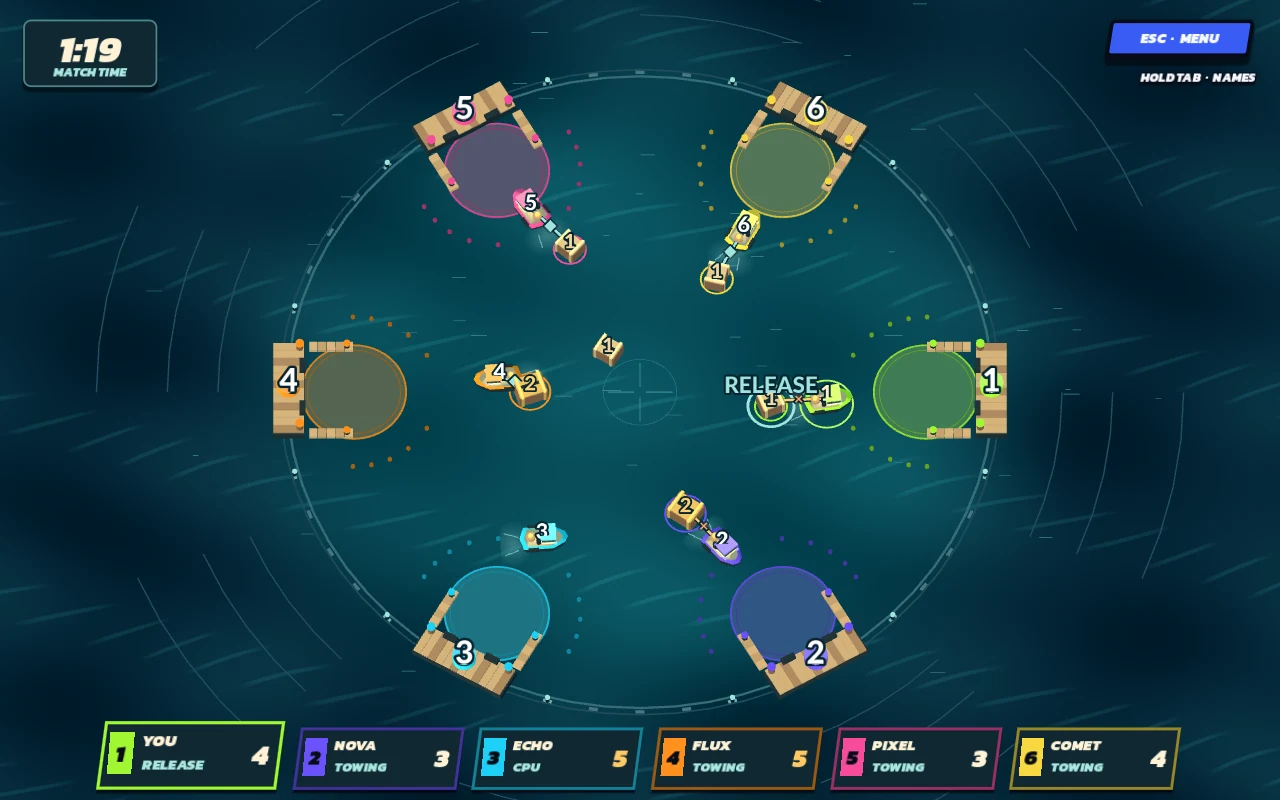
Hook floating crates and tow them into your numbered harbor to deliver them. Heavy crates slow your tug but score double. Cut a rival’s exposed tow rope to send their cargo adrift. The most cargo weight delivered in 90 seconds wins.
- Keys
- WASD or the arrow keys to steer. Press Space to hook, cut, or release. Tap it inside your harbor to deliver your cargo.
- Touch
- Drag your left thumb to steer and tap the right side to use the winch.
On desktop, install it from Game Library.
Good to know
Easy to pick up
-
Party of six
Play solo against five bots, or host a party on your network. Friends without the game can join from a web browser.
-
Any controller
Play with a keyboard, gamepad, or touch controls. An announcer calls the countdown, the big moments and the winner.
-
Runs on older computers
Pick Low graphics on the menu. Any window size works.
- Esc Menu
- F11 Fullscreen
- Hold Tab See everyone's names
Free · early preview
Play or download
Free. This is an early preview, so expect rough edges. The browser version plays solo; download the game to host or join parties. On desktop, install Bumper Cars, Sumo, Orb Racing, Stampede Sheriff, Plate Panic, and Salvage Line from Game Library. The desktop game checks for updates when it starts and updates itself (from version 0.2.0; if you downloaded it before 18 Nov 2026, download it again once).
Setup
Installing
Windows
- Download
GizmoJam-Windows.exeand double-click it. Nothing needs installing. - The game isn't signed yet, so Windows may show "Windows protected your PC". Click More info, then Run anyway.
macOS
- Download
GizmoJam-macOS.zipand double-click it to unzipGizmo Jam.app. - The app isn't signed by Apple yet. The first time, right-click (or Control-click)
Gizmo Jam.appand choose Open, then click Open again. After that it opens normally. - If macOS says the app "is damaged" or still won't open, run this in Terminal from the folder holding the app:
xattr -dr com.apple.quarantine "Gizmo Jam.app"
Linux
- Download
GizmoJam-Linux.x86_64. - Make it executable:
chmod +x GizmoJam-Linux.x86_64 - Run it:
./GizmoJam-Linux.x86_64
Android
- On your phone, open the Gizmo Jam beta and tap Become a tester. Sign in with the same Google account your Play Store uses.
- Tap the Google Play link on that page and install it like any other app. Right after you join it can take a few minutes to show up.
- Hold the phone sideways. Each minigame's touch controls are listed under Pick a game.
- It updates from Google Play like any other app. You can leave the beta from the same page.
Multiplayer
Playing together
- One player clicks Host Party, keeps the UDP port (7777) and clicks Open Lobby. Allow the game through that computer's firewall (UDP 7777, and TCP 7780 for sharing games).
- On the same network, everyone else clicks Join Party and picks the party from the list. If it isn't listed, type the join address shown in the host's lobby.
- The host picks the game and clicks Start for Everyone. Empty seats are filled by bots, up to six robots. Players on different versions can still play together: anyone missing a game gets it from the host, or sits that one out.
- Friends without the game: before opening the lobby, the host turns on Browser guests. The lobby then shows an address
like
http://192.168.1.20:7780; open it in a browser on the same network to join (also allow TCP 7781 through the host's firewall). - Over the internet, the host forwards UDP port 7777 on their router, or everyone joins the same VPN.
Gallery
Screenshots
-
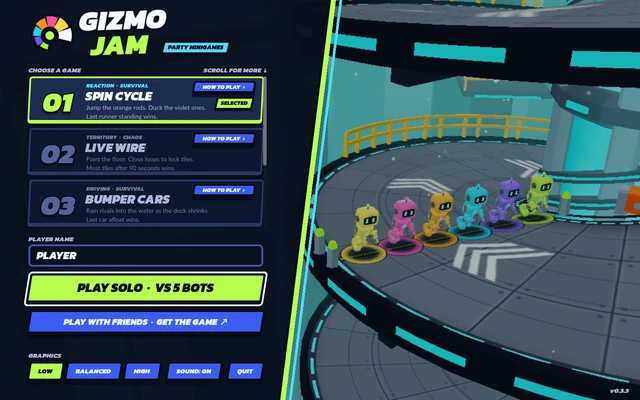
Pick a game and play solo or with friends -
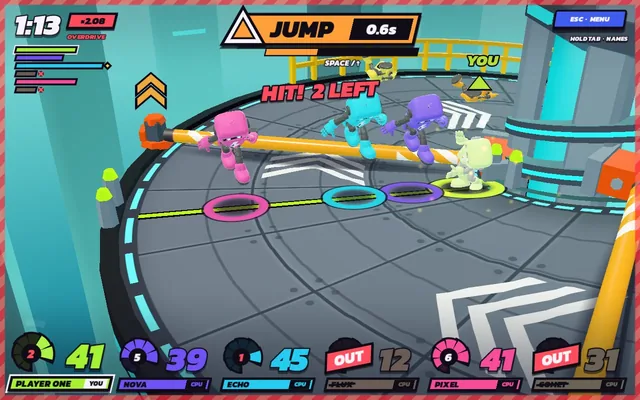
Spin Cycle speeds up as the round goes on -
Spin Cycle · Jump and duck as the ramp speeds up. -
Live Wire · Paint the floor and dodge the surges. -
Bumper Cars · Stay afloat as the dock shrinks. -
Sumo · Shove rivals out of the ring to score. -
Orb Racing · Clear the checkpoints and finish three laps. -
Stampede Sheriff · Herd critters and steal them from your rivals. -
Plate Panic · Tilt the table and redirect rolling marbles. -
Salvage Line · Tow cargo home and cut rival lines.